Ask a service business owner where the marketing budget goes and the answer is usually some version of “getting the phone to ring.” Ads, SEO, a directory listing or two. Fine. Now ask what happened to last spring’s callers. The homeowner who got a furnace quote and went quiet? The client whose taxes you did in April? Often nobody has contacted them since, and those are the cheapest customers you’ll ever get back, because they already know who you are.
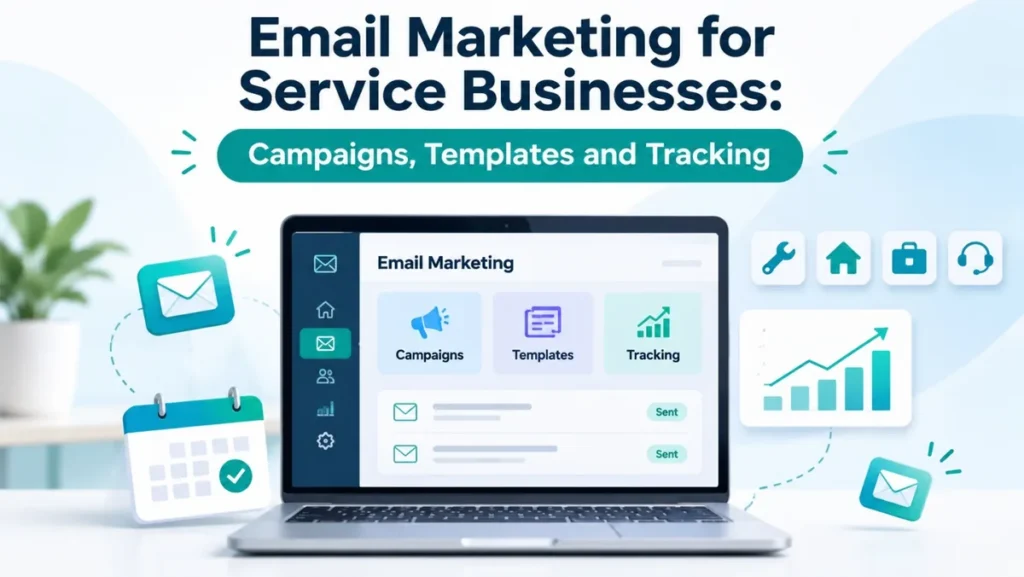
That’s the gap email fills. A plumber, a law firm, a cleaning company, an accountant: they all sell something people either need again or need to trust first, and email is good at both, provided the message reaches the right person at a sensible moment and you can tell afterward whether it led anywhere. So that’s what we’ll go through here. The campaigns we’d actually run, three templates to steal, and how to track it.
Why email fits service work
Someone buys shoes, and the shop might not hear from them for a year. Service work doesn’t behave like that. The furnace wants a check every fall, the books close every quarter, and a rental property will find something to break whenever it likes. The relationship keeps going regardless. What you’re competing for is being the name that comes to mind when the next job turns up.
Email gets you there without buying the same customer’s attention twice through ads. And you can say different things to different people, which sounds obvious until you see how many businesses send one newsletter to everybody. Someone whose furnace you serviced in October and someone who grabbed your price guide last Tuesday are not in the same place.
Five campaigns cover most of it
You can get lost in campaign types. We wouldn’t bother. For most service firms these five do the heavy lifting:
| Campaign | Who gets it | What it’s for |
|---|---|---|
| Inquiry autoresponder | Anyone who fills out a form or requests a quote | Confirms you got the request and says what happens next |
| Welcome series | New subscribers and new customers | Introduces the business, sets expectations about what you’ll send |
| Lead nurture | Prospects who aren’t ready to book | Answers their questions until they are |
| Service reminders | Past customers | Brings back repeat work (annual service, renewals, seasonal checks) |
| Post-job follow-up | Customers after a completed job | Asks for feedback or a review and mentions related services |
Look down that list and only one row really sells, the nurture series. Everything else confirms, reminds or says thanks. Good. Inboxes punish the business whose every email wants money; people just stop opening them.
Who you’re allowed to email
Size isn’t the point. Two hundred people who’ve asked you for a quote will beat ten thousand strangers off a purchased list, and the purchased list comes with spam complaints attached. In the EU, the UK and Canada, mailing people who never agreed to hear from you can also land you on the wrong side of the law. So skip it.
The addresses worth having are mostly ones you already collect: the quote form, the booking system, the invoice your team sends when a job’s done. A genuinely useful download on your site helps too (a seasonal maintenance checklist, say, or “what to expect at your first consultation”). Tell people what they’re signing up for. Then keep the list tidy, which mostly means removing addresses that bounce and honoring every unsubscribe without arguing.
There’s a technical bit here that’s easy to miss. Since February 2024, Gmail has treated anyone sending roughly 5,000 or more messages a day to Gmail addresses as a “bulk sender.” Bulk senders must authenticate their domain with SPF, DKIM and DMARC, put a one-click unsubscribe in marketing emails, and keep the share of people hitting “report spam” below 0.3% (Google would like it under 0.1%). You’re probably nowhere near 5,000 a day. Get the setup done anyway; it helps every sender reach the inbox. Ask whoever looks after your domain and email platform to set up SPF, DKIM and DMARC.
Segmenting (keep it boring)
Segmenting is just splitting the list so people get emails that fit them. Three groups will do to begin with: new leads who haven’t booked, current customers, and past customers you haven’t seen for a while. Even that much stops the classic mistake, where a client of six years gets a cheerful “welcome, here’s who we are.”
When those three are running, you can split by service. Plumbing, electrical and HVAC customers each get their own reminders at a home services company; an accounting firm might separate personal tax from bookkeeping and payroll. Honestly, we’d stop there for most small businesses. Every extra segment is more emails somebody has to write and proofread, and a segment of 40 people won’t tell you anything useful when you look at the numbers.
Leads who aren’t ready yet
A person who downloads your pricing guide is rarely booking that afternoon. Maybe they’re getting three quotes. Maybe the budget isn’t signed off, or they’re still deciding whether this is a DIY job. Go silent and there’s a decent chance the competitor who keeps answering their questions gets the work.
A short nurture sequence handles this, and short is the word: three to five emails spread over a few weeks. Answer the question they came with first. Then explain how a job with you runs, start to finish, with a rough sense of timing. Somewhere in there, cover the problems you see most and when they’re worth fixing. Finish with one plain email asking if they’d like to book, plus a link. Finished-work examples help a lot, as long as the client has said yes to you showing them and nothing confidential slips in. Do this well and booking you starts to look like the obvious next move.
Three templates you can adapt today
Templates save time only if you actually edit them each time. Here are three we’d start with. Put your own details in, and please don’t promise anything your team can’t deliver on a bad week.
Inquiry autoresponder
Subject line: “We’ve received your service request”
Hi [First name], thanks for getting in touch about [service]. Your request has reached our team and someone will call you within [your real response window, for example one business day] to talk through the next steps. If it’s urgent, please call us at [phone number] instead. [Your name], [Business name]
That response window has to be true. Write “within the hour,” take a day, and the email has made you look worse than sending nothing.
Estimate follow-up
Subject line: “Your [service] quote: any questions?”
Hi [First name], we sent your quote for [service] on [date]. If anything in it isn’t clear, or you’d like to change the scope, just reply to this email. When you’re ready to go ahead, you can pick a date here: [booking link].
Seasonal reminder
Subject line: “Time to book your annual [service]”
Hi [First name], it’s been about a year since we [last service] at [address or site]. Booking your check now, before [busy season], usually means more choice of dates. You can book here: [booking link].
One job, one link, in all three. An email that asks people to book, follow you on Instagram, read the blog and leave a review tends to get none of the four.
Subject lines and the ask
My favorite subject lines are close to dull. “Schedule your annual HVAC maintenance.” “Your roofing estimate is ready.” Nobody’s framing those, but nobody opens them wondering what on earth this is either. Compare that with the teaser that tells you nothing, or capitals, or “LAST CHANCE!!!” on a sale that’ll quietly run again next month. Readers have seen all of it a thousand times. In the US there’s a legal angle too: a subject line that misleads people can put you on the wrong side of CAN-SPAM.
Then the ask. One per email. Book the visit, or approve the quote, or confirm Thursday, or read the guide; pick whichever this email exists for and stick it up top as a button. Picture your customer reading it in line at the coffee shop, thumb on the screen. They aren’t scrolling to the bottom to find your link.
Automation, and remembering to stop
Automation sounds grander than it is. Something happens, an email goes out, and no one in the office had to remember to send it.
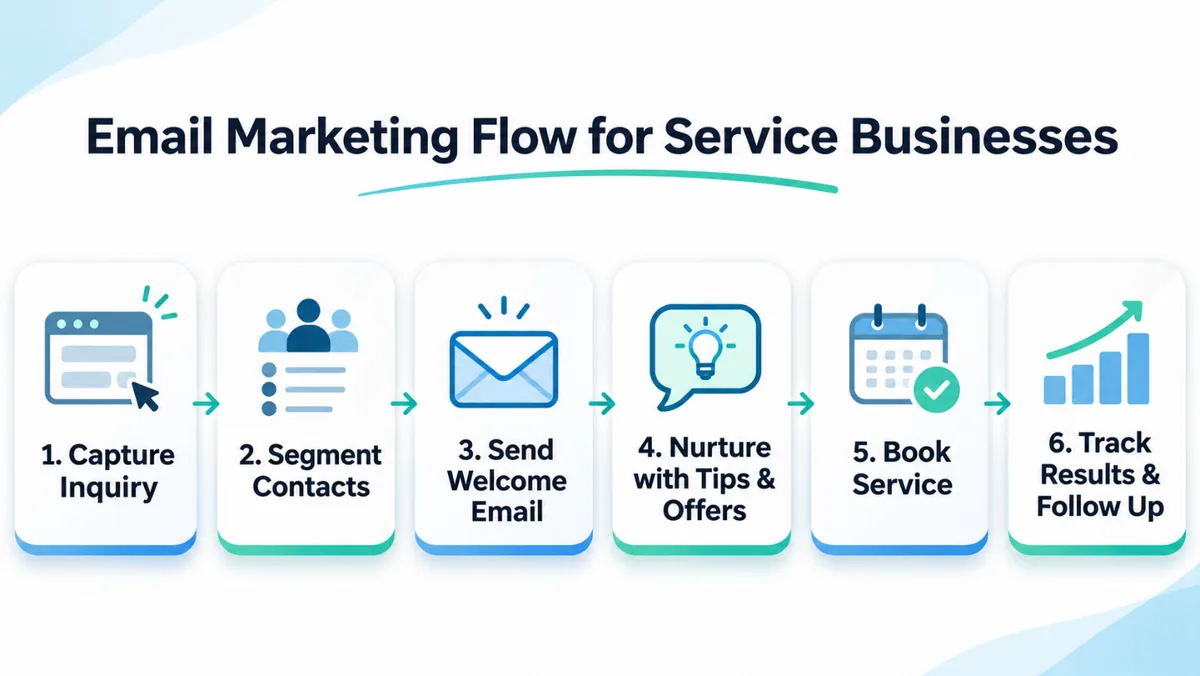
Here’s a fairly normal setup for a service company. Somebody fills out your quote form at 10pm on a Sunday, and the autoresponder answers before they’ve closed the tab. If they ticked the box saying they’re happy to hear from you, the nurture emails begin. They book? Nurture switches off, appointment reminders switch on. Job done, a thank-you goes out asking how it went, and the system quietly sets a reminder for next year’s service.
Getting the emails to start is easy. Getting them to stop is where it goes sideways. A “still thinking about it?” email turning up three days after someone booked is the classic slip, and the next-morning discount for a job the customer has just paid full price for is worse. Before switching anything on, sign up with your own email and walk through it the way a customer would.
Working out your conversion rate
Say 1,000 people got the email and 25 of them booked. Divide one by the other and you’ve got 2.5%. That’s a conversion rate, the share of recipients who did the thing you sent the email for. Booking is the obvious one, though a consultation request or a “yes” on a quote counts too.
Where it gets messy is comparison. Your platform might divide by emails delivered. Someone else’s divides by clicks, a third by website sessions, and suddenly two people describing the identical campaign quote you wildly different numbers. Pick a method. Don’t switch.
I’m wary of benchmarks for the same reason. Is 2.5% good? For a reminder to customers who already love you, maybe not; for a first email to strangers, possibly very good. You’ll learn more from your own history than from anyone’s industry report, and you only need three or four rounds of the same campaign before you know what normal looks like.
Which numbers to watch
| Metric | What it tells you | What to watch for |
|---|---|---|
| Delivery rate | The share of emails accepted by the receiving server | A sudden drop usually points to a list or authentication problem |
| Bounce rate | The share of addresses that couldn’t receive mail | Remove hard bounces straight away |
| Click rate | The share of people who clicked a link | A good quick signal of interest |
| Unsubscribe rate | The share of people who opted out | A spike after one campaign means it missed the mark |
| Spam complaint rate | The share of people who marked you as spam | Keep it under 0.1%, and never near 0.3% |
| Bookings or inquiries | The actual business result | This is the number to report |
You’ll notice open rate is missing. On purpose. Apple’s Mail Privacy Protection, introduced in 2021, lets Apple Mail load email images in the background whether or not anyone reads the message, and each of those loads counts as an open. Some business email security filters do the same thing, and a few even click the links. So open rates now overstate real reading by a fair margin. Use them as a rough trend if you must. Clicks are better, and bookings are the number we’d trust.
Seeing bookings means connecting email to wherever the outcome gets recorded. UTM tags on your links let Google Analytics show which email sent each visitor. Better still is linking the email tool to your CRM or booking software. Without one of those, you know people clicked and that’s about it.
Testing
You split the list. Half get version A, half get B, and afterward you count who clicked or booked. Two subject lines on the spring reminder, for instance. Or a three-line email against a longer one with photos. Change one thing only, though, because if A and B have different subjects, different copy and different send times, something will win and you’ll have no clue why.
Small lists need patience. Two hundred people per version, three extra clicks on one side? Could easily be luck. I’d want to see the same result over several sends, maybe a couple of months, before rebuilding anything around it.
The mistakes that come up most
All offers, all the time. People catch on fast. If every email from you is a discount they stop reading, and the ones you really needed them to see (the quote follow-up, the “your furnace is due” reminder) end up in the trash too. Throw in a reminder or a useful tip now and then.
One newsletter for everybody. Look at who’s on your list. Someone who asked for a quote on Tuesday. A customer of eight years. A person whose last booking was in 2024. Why on earth would they want the same email? Those three basic segments from earlier sort out most of this.
Designs built for a big monitor. Huge banner images, 11-point text, two buttons wedged side by side. Fine at a desk, awful on a phone, and the phone is where a lot of your customers will see it. Shorter paragraphs and one clear button tend to read better, and honestly they’re less work to build.
Then the law, which carries an actual price tag. If you email people in the US, CAN-SPAM applies. No misleading sender details or subject lines. The email has to say it’s an ad where that’s the case, include a valid physical postal address, and give people an obvious way to opt out, and once they do, you’ve got 10 business days to act on it. Get it wrong and it’s up to $53,088 per email; the FTC set that figure in January 2025 and didn’t raise it for 2026. Got contacts in the EU, the UK or Canada? Check their consent rules first. They’re tougher.
If you’re starting from zero
Resist the urge to build everything this weekend. My order would be: inquiry autoresponder first, because it improves every lead you already get from the day it goes live. Post-job follow-up second. Then a single seasonal reminder for the service your customers come back for most. Tag your links once those are running so you can see where each email leads, and park the nurture sequence and testing until you’ve got a feel for it.
Count bookings, not opens, and let next quarter’s changes come from what your own numbers say. If you’d like a hand connecting email to the rest of your marketing, we work on local SEO and Google Business Profile management for service businesses, and you can get in touch here.
Frequently asked questions
What’s the best email marketing strategy for a service business?
If I had to boil it down: treat new leads, current customers and lapsed customers as three different audiences, because they are. Leads mostly have questions; customers mostly need reminding, and the lapsed ones need some reason to return. Automate two emails before anything else (the inquiry confirmation and the post-job follow-up) and then judge all of it by bookings.
Can email help a service business get more leads?
Sort of. Email is far better at hanging on to leads than at finding them. A checklist or price guide on your site gets people to hand over an email address, and a few follow-up emails answering the questions they’d otherwise ask on the phone keep you in the picture until they’re ready.
What’s a good email conversion rate?
Annoyingly, it depends. Your spring reminder to regulars and a first email to people who’ve never used you are going to perform very differently, and two platforms can report the same campaign as two different rates. So we’d rather you track your own numbers, the same way every time, and beat last quarter.
How often should we send marketing emails?
We don’t think there’s a magic number. Some firms send monthly and that’s plenty. For others two seasonal nudges a year is about right. (Booking confirmations and reminders don’t count here, since those go whenever the customer does something.) When unsubscribes jump, slow down.
What goes in an autoresponder email?
“Thanks, we’ve got it, here’s what happens next, we’ll call by [time], and if it can’t wait, call this number.” That’s the whole email, really. Just make sure the time you promise is one your team can still hit on a Monday in January when everyone’s furnace has died.
How do we know if email marketing is working?
Bookings. Delivery, clicks and complaints only tell you the email turned up and someone glanced at it. To see money you need UTM tags on your links (so Google Analytics can trace the visit) or your email tool hooked up to the CRM or booking system. Open rates we’d mostly ignore.