Read enough Google Ads blogs and you’d think everybody has search volume to burn. Run five ad variations! Let the machine learn! Scale the winner! Which is lovely advice if you sell running shoes. Now try it when you make industrial equipment, or sell enterprise software, or build luxury homes, and the right buyer searches for you a few dozen times a month. One signed deal might be worth tens of thousands. One bad week of clicks might be the whole month’s budget.
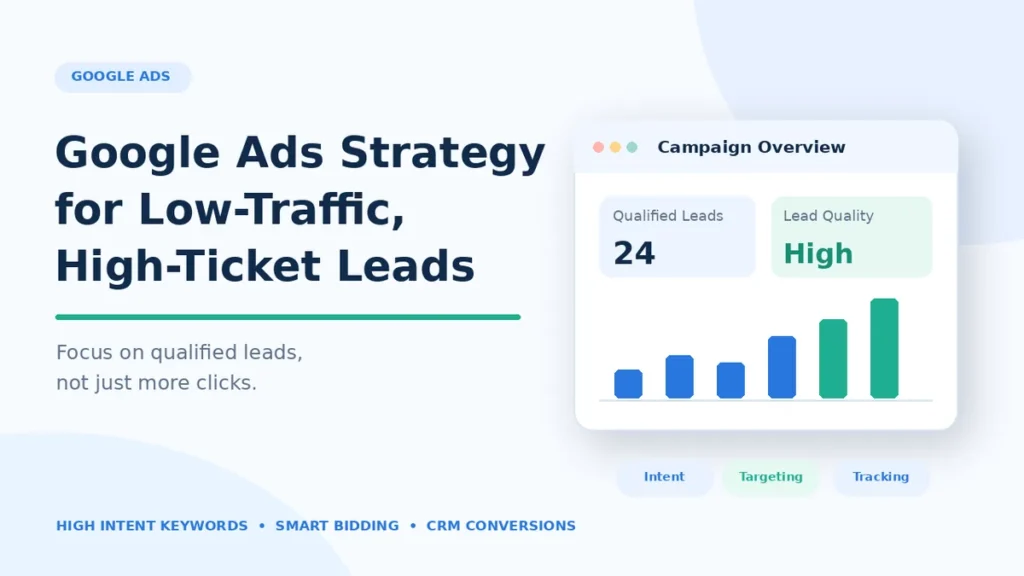
That’s the situation this post is about. You don’t need more leads so much as a few of the right ones, plus some way of knowing which ads brought them in. Here’s how we’d set an account up for that.
Why small markets break the usual rules
The obvious problem is the ceiling. If 150 people a month search for the machine you make, that’s the pool, and no budget makes it bigger. Spend past that point and you’re either paying more for the same 150 people or paying for searches that are only sort of related.
The less obvious problem is time. Nobody buys a six-figure system on impulse. There’s comparison shopping, a demo or two, a CFO who wants to see numbers, maybe a procurement process that takes a quarter on its own. So the form someone fills out today could become a contract in five months. Or never. Google Ads will call that form a “conversion” either way, which is why judging the account after three weeks means judging it on almost nothing.
Keep that in your back pocket for the rest of this, because ten decent inquiries can easily beat fifty that fizzle.
Keywords: look for buyers, not browsers
Broad keywords bring traffic, sure. In a high-ticket niche a depressing amount of it is students doing assignments, people job hunting, competitors poking around, and bargain hunters looking for the cheap version of whatever you sell. Every one of those clicks costs you, and none of them will ever call.
What you want are the searches that sound like someone with a purchase order. Words like “supplier,” “manufacturer,” “pricing,” “quote,” “implementation partner,” “commercial” and “for enterprise” tend to show up there. So do weirdly specific searches, the ones with a model number or a spec or an installation requirement in them. A CNC machine maker is usually better off with “5-axis CNC machine for aerospace parts” than plain “CNC machine,” even though the second gets far more searches. Fewer people, but they’re the right people.
My favorite source for these isn’t a tool at all. It’s your sales team. Ask them what words prospects use on a first call, then plug those into Keyword Planner. You’ll find phrasing you’d never have guessed sitting at a desk.
Keep the account small
There’s a classic account structure where you build a campaign for each stage of the buying journey (research, comparison, ready to buy) and it’s genuinely good, for big accounts. In a small one it chops your clicks and conversions into pieces so thin that no campaign ever has enough data to tell you anything.
I’d start with one campaign, two at the outside. The first for the obviously commercial searches, which gets budget priority. Maybe a second for comparison searches, the “X vs Y” and “alternatives to X” and “best X for Y” crowd. Inside each, a handful of tight ad groups so the ad reads like an answer to what was typed. Then leave it alone until the data earns more complexity.
Bidding: be honest about your data
Google’s automated strategies (Maximize Conversions, Target CPA, Target ROAS) learn from your conversions. Feed them very few and they don’t have much to learn from. Google’s own Target CPA help page suggests looking at the last 30 days with at least 30 conversions when you judge it, and lots of high-ticket accounts simply never get to 30 a month.
So if you’re getting three form fills a month, smart bidding is mostly guessing on your behalf. In that spot I’d rather use Manual CPC, or Maximize Clicks with a maximum CPC bid limit, and keep control while the data builds. Automation gets a lot more useful once conversions come in steadily, and especially once you’re importing qualified-lead data from your CRM (more on that in a minute).
And once you’ve picked one, leave it be for a while. Swapping strategies every couple of weeks keeps restarting Google’s learning period, and then the numbers mean nothing.
Turn away the wrong people before they click
A pile of form fills isn’t automatically a pile of business. If half your inquiries are outside your service area, or can’t afford you, or want something you don’t sell, your sales team spends the week on calls that were dead before they started.
Part of the fix lives in settings. Location targeting should only cover places you can actually serve, and you want the “Presence” option (people in, or regularly in, your locations) rather than “Presence or interest,” which also catches people who are merely curious about the area. Then read the search terms report. Weekly, at first. Every junk search you spot becomes a negative keyword, and in a small account a few bad terms can be a scary share of spend.
The other part is the ad copy. You’re allowed to scare people off! “For manufacturers with 50+ staff.” “Projects from $25,000.” “Enterprise plans only.” Your click-through rate will probably drop. Good. The people who still click look a lot more like the customers you want.
Landing pages that let buyers qualify themselves
“Contact us for a free quote” on a page with three stock photos isn’t going to cut it for someone about to spend serious money. They want to know whether you’ve done this before, for companies like theirs, at their size.
So tell them, including who you’re not a fit for, which can be oddly reassuring to read. Walk them through how a project actually runs and about how long it takes, and what they’ll need on their side before you start. A minimum engagement or a starting price can go on the page too, if you’re comfortable with that. Case studies, spec sheets and the actual names of the people they’d work with all help, where you can share them.
As for the form: company name, what they need, a ballpark budget and a timeline is about right for this kind of work. I’d cut any field your sales team won’t actually look at, since each one loses you a few people.
Hook Google Ads up to your CRM
Out of everything in this post, this is the change I’d fight hardest for. Here’s the problem. Most lead-gen accounts count every form submission as a conversion, full stop, so the guy who wanted a free quote “just to see” and the buyer sitting on an approved budget look exactly alike from Google’s side of the fence. Optimize for that and you end up with an account that’s brilliant at finding people who like forms.
What fixes it is boring plumbing. When a lead comes in, someone on your sales team marks it in the CRM as qualified, unqualified, opportunity or won, and those labels get sent back to Google Ads as offline conversions. If you’re on Salesforce or HubSpot there’s a built-in integration that does it; if not, a file upload works, or Google’s Data Manager API for the technically inclined. There’s a deadline, though. Google won’t take a click-based (GCLID) offline conversion more than 90 days after the click, and with enhanced conversions for leads it’s 63 days. The workaround I’d use for long sales cycles is to send the early stuff, “qualified” or “proposal sent,” which tends to happen well inside the window.
It won’t turn a tiny account into a big one, and the algorithm still has thin data to chew on. But it’s chewing on sales now, and your reports stop flattering you.
Ads for people who read the fine print
I always picture the person who signs off on these purchases as someone who’s been burned before. “Best service, great prices, call now!” means nothing to them. What they’re scanning for is whether you do the specific thing they need, for companies their size, and what makes you different from the other three tabs they’ve got open.
So a cybersecurity firm leads with the compliance frameworks it covers and the size of organizations it looks after, and a luxury builder talks project size and the neighborhoods it works in. Then there’s the extra real estate Google gives you, which plenty of advertisers leave half empty: sitelinks pointing at case studies or pricing or a technical overview, and callouts for certifications, or a response time you’d genuinely put your name to.
Budget from deal value, not cost per click
Look at cost per click on its own and you’ll talk yourself out of every high-ticket keyword in the account. I’d rather work backwards from what a lead is worth.
Quick example with made-up but plausible numbers. A typical customer brings in $30,000 in gross profit. You close 10% of qualified leads, so on average each qualified lead is worth about $3,000. Maybe a third of your inquiries turn out to be qualified, which puts an inquiry at around $1,000. That’s break-even on gross profit, before rent and salaries and everything else.
| Step | Example figure |
|---|---|
| Gross profit per customer | $30,000 |
| Close rate on qualified leads | 10% |
| Expected profit per qualified lead | $3,000 |
| Share of inquiries that qualify | 1 in 3 |
| Break-even cost per inquiry | about $1,000 |
Nobody should actually spend right up to that line, obviously; overhead, risk and cash flow all need room. The point of doing the math is that a $40 click suddenly looks reasonable, and you’re far less tempted to switch off a campaign whose cost per lead “seems high” when the leads are good. Swap in your own figures.
Remarketing for the slow deciders
Almost nobody asks for a proposal on the first visit. More often they read the specs, send the link to a colleague with “thoughts?”, check two competitors, and then disappear for a month while budgets get argued about. Remarketing is how you stay vaguely in view during that silence.
The trick is not to just repeat your search ad at them for six weeks. If someone read the implementation page, show them a case study or a short guide to what integration involves. Pricing page visitors might be ready for a demo. Two caveats: remarketing depends on consent and Google’s audience policies, and some sectors (healthcare and financial services, for two) have extra restrictions on what you can target, so read up before you build the lists.
What to measure instead of raw conversions
Clicks, CTR and cost per lead are fine as far as they go, but they can point you the wrong way. Ten strong inquiries can be worth more than fifty weak ones, and a standard dashboard will happily tell you the fifty-lead campaign is the star.
The numbers I’d add follow the lead further down the funnel. What share of inquiries does sales accept as qualified? What does each of those cost you? How many become real opportunities, and what’s that pipeline worth? And eventually, once deals close, customer acquisition cost and revenue.
Timing matters as much as the metric. With a six-month sales cycle, a verdict at week four is noise. Early on I’d lean on softer signals: whether the search terms look right, whether sales says these are the right sort of companies, whether cost per qualified lead sits somewhere you can live with.
Pulling it together
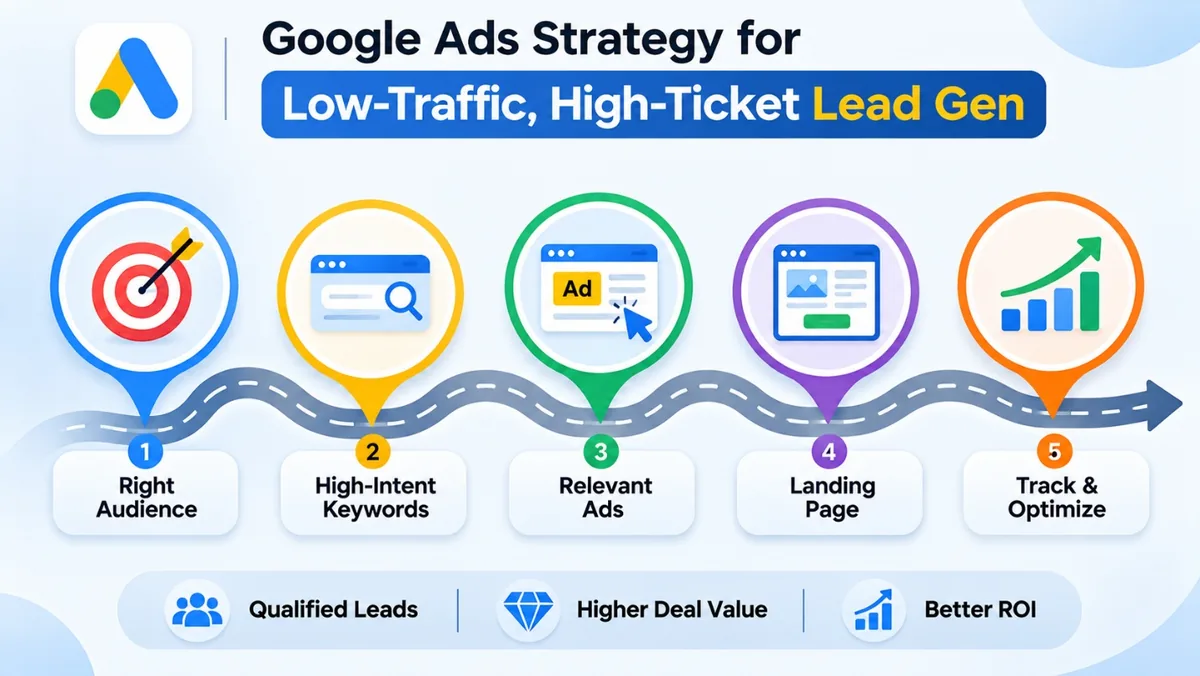
Small, expensive markets can be great for Google Ads, provided you stop treating it like a volume business. Chase keywords that sound like buying, keep the account small enough for the data to mean something, and let your ads and landing pages turn the wrong people away. Then wire up the CRM so Google learns from sales, and give it a sales cycle before you decide anything.
High-ticket buyers will also Google you before they pick up the phone, so the rest of your search presence matters more than people expect. If you’d like help there, have a look at our SEO services and case studies, or get in touch.
Frequently asked questions
What’s the best Google Ads strategy for low-traffic, high-ticket lead generation?
If you only remember four things: target searches that sound like buying, keep the account small, write ads and landing pages that happily turn away bad fits, and pipe CRM outcomes back into Google so it chases deals instead of form fills.
Can Google Ads work when hardly anyone searches?
Yes, as long as the handful of searchers are real buyers and a deal is worth enough to cover the clicks. Two customers a year could pay for the account. When demand is genuinely tiny you’ll max out fast, though, and you’ll need SEO, LinkedIn, events or referrals pulling their weight too.
Should high-ticket businesses use automated bidding?
Eventually, probably. With only a few conversions a month I’d keep it manual, or run Maximize Clicks with a bid cap, and revisit once qualified-lead data from your CRM is flowing in reliably.
How do I get better quality leads from Google Ads?
Weekly search term reviews with negatives added as you go, tighter location settings, and ads that say who you’re for (plus a starting price, if you don’t mind sharing it). A couple of qualifying questions on the form help, and so does sending CRM results back to Google.
What’s a good cost per lead for high-ticket services?
Whatever your own numbers say, rather than some industry average. Take profit per customer, multiply by your close rate on qualified leads and then by the share of inquiries that qualify. That’s break-even. Aim comfortably below it.
How long should a low-traffic campaign run before I judge it?
Check it from the first day for broken tracking and junk searches, because those waste money fast. For a proper verdict, though, wait at least one full sales cycle, which in high-ticket work is usually measured in months.